





Qwen Image AI Generator

Describe a picture, or upload a photo for Qwen Image Edit. Qwen Image draws legible signs and changes only what you name.

When a Still Wants to Move

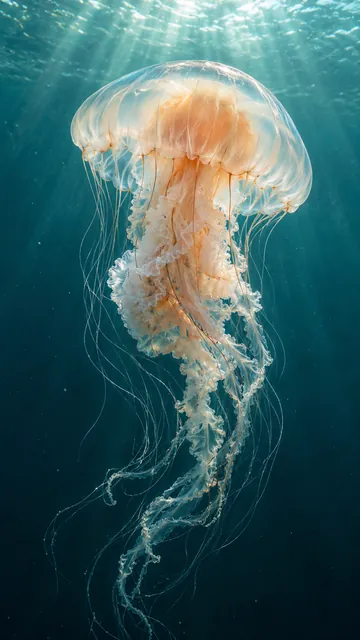
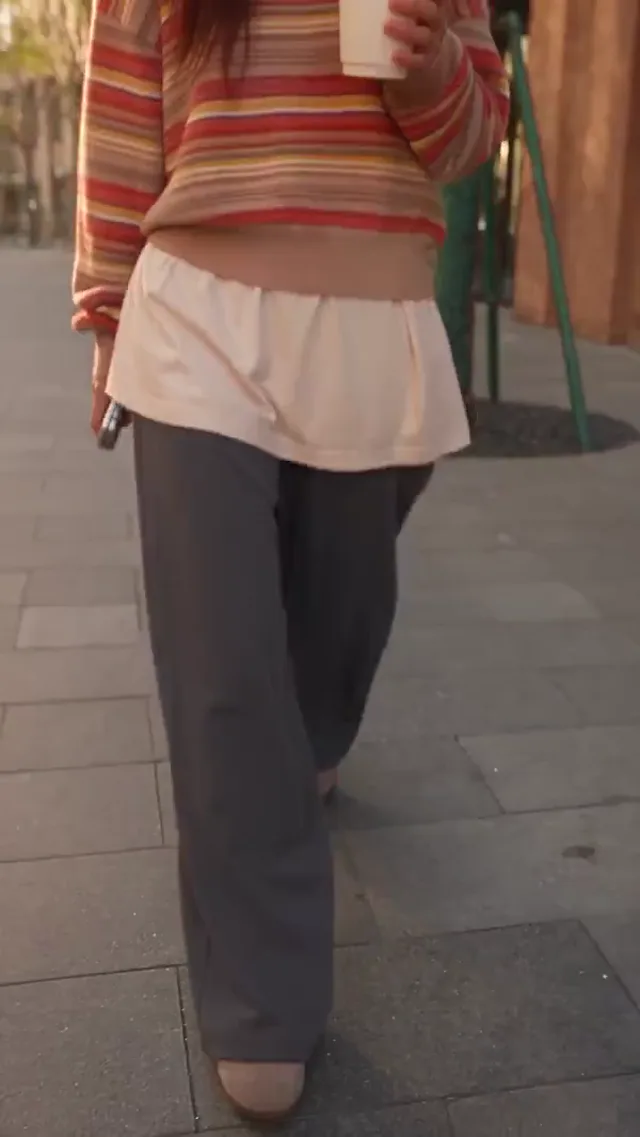
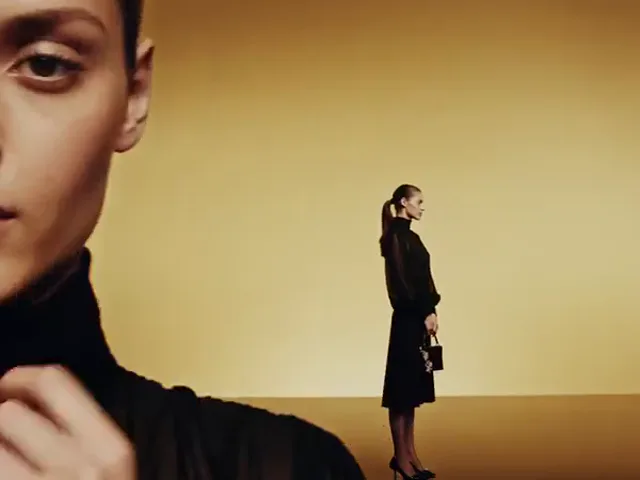
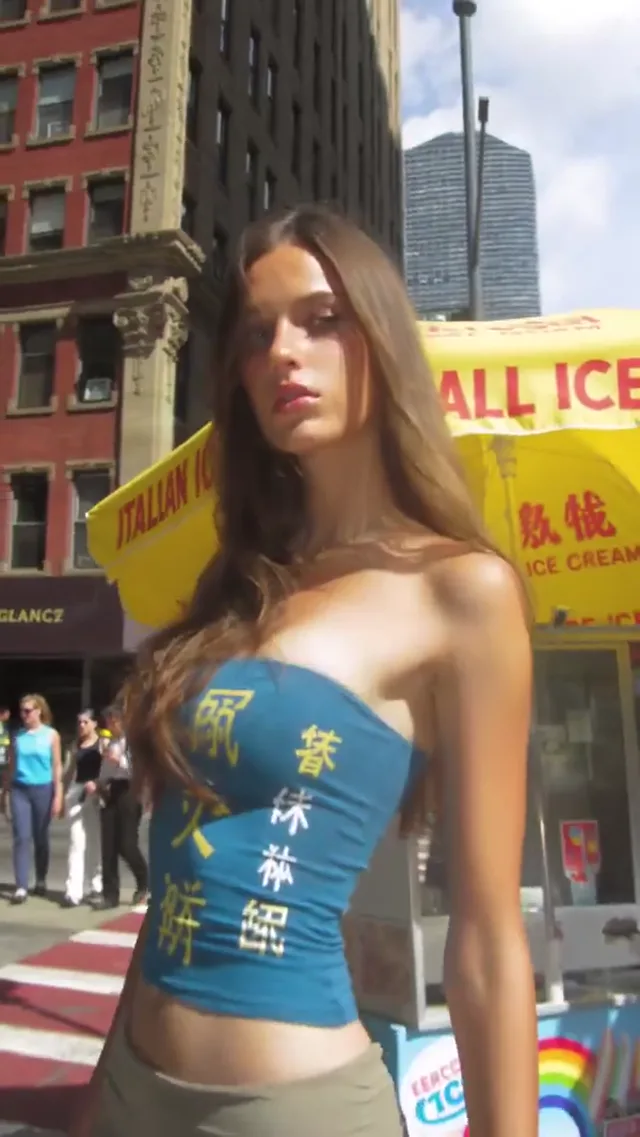
Some Qwen images deserve motion. These effect samples show what the Video tab can try with a finished Qwen-Image frame.

Qwen Image

Readable Lettering. Faithful Edits.

Try Qwen Image Edit
Sample Briefs

Who Uses Qwen Image, and What Changes for Them

Four sample requests, each rendered with Qwen Image 3 Pro. Drag the slider to compare the original Qwen-Image render with the Qwen Image Edit result.

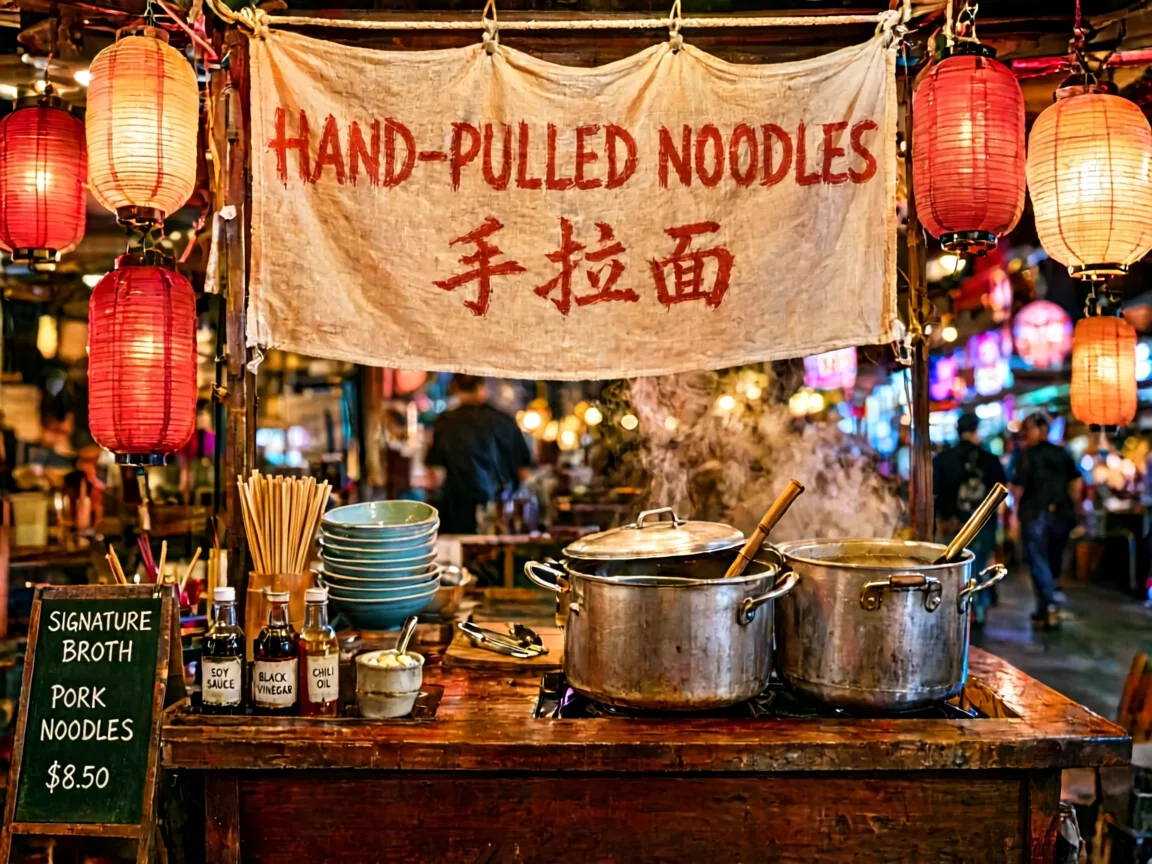
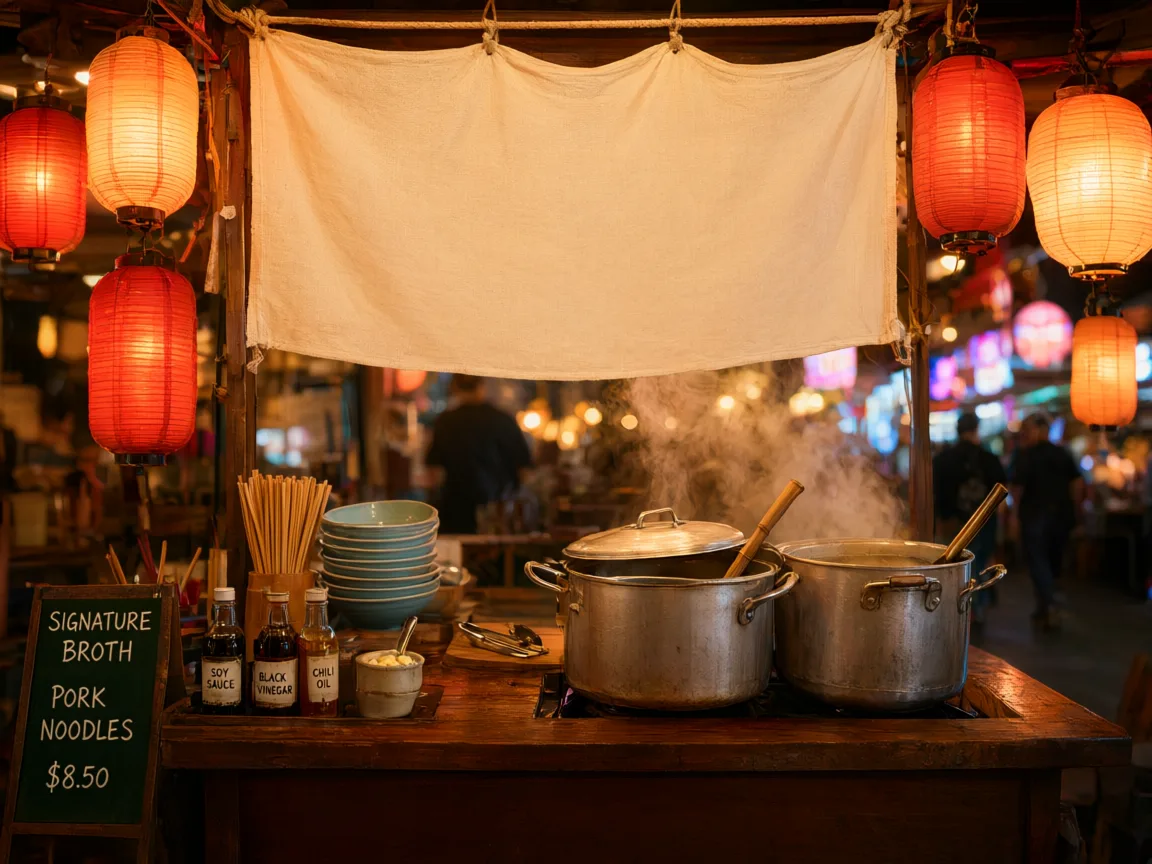
A Night-Market Cook Letters a Blank Banner

The Qwen-Image stall photo had an empty cloth banner. The Qwen Edit prompt asked for “HAND-PULLED NOODLES” in English and Chinese, with lanterns and steam left alone. Qwen Image Edit placed both lines on the fabric; the owner still checked every character before ordering the print.

  • Quote exact words for Qwen Image
  • Name the surface for the text
  • Tell the Qwen Edit what stays
  • Proofread every character
  • Print only after approval
Letter a Sign in Qwen Image
A Night-Market Cook Letters a Blank Banner - After
A Night-Market Cook Letters a Blank Banner - Before
Before
After

A Potter Rescues a Messy Workbench Photo

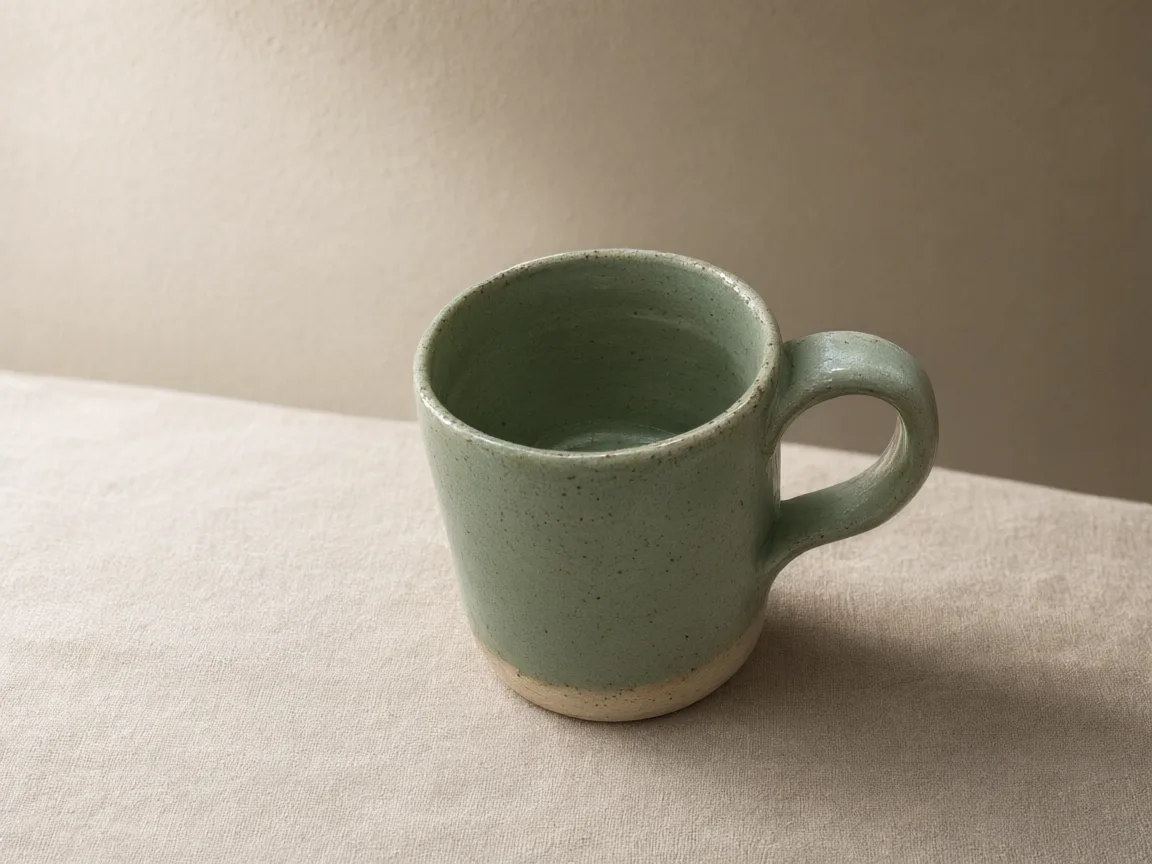
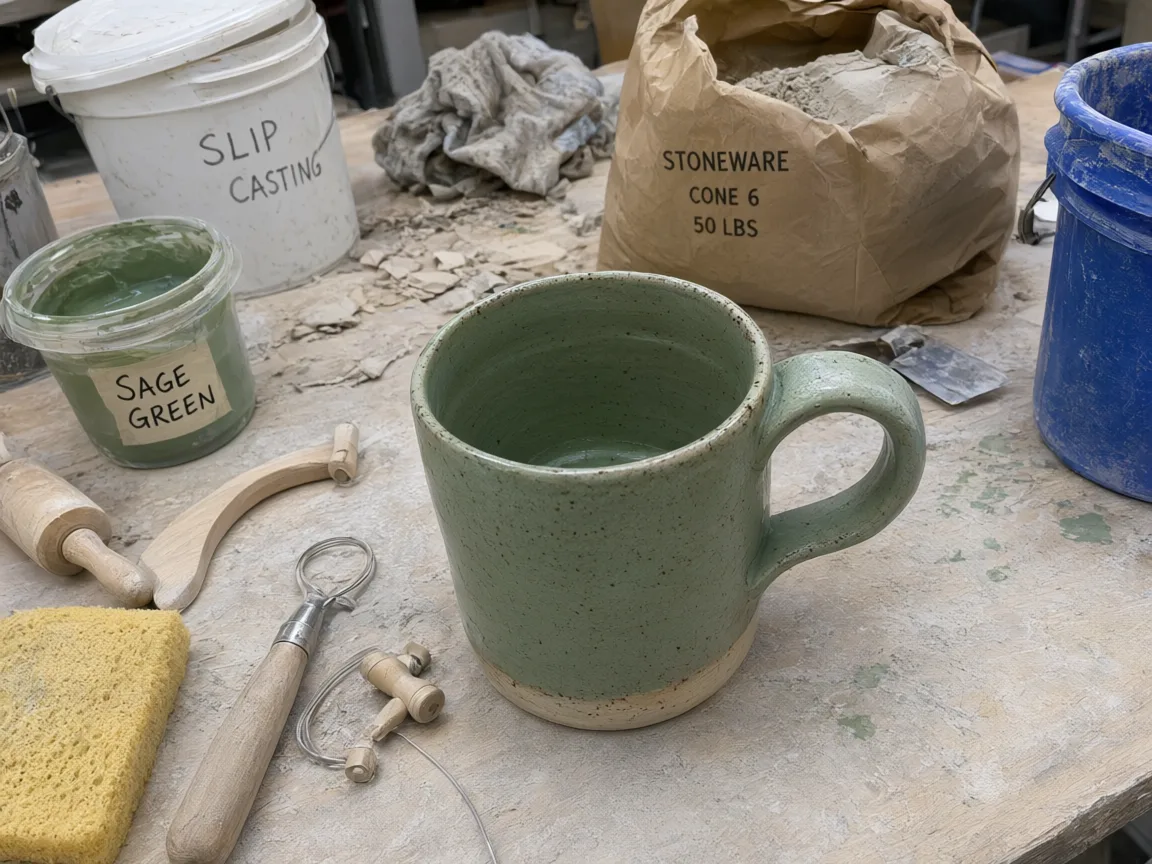
A Qwen-Image shot of a sage-glazed mug among clay buckets looked unsellable. One Qwen Image Edit request swapped the bench for linen and soft window light while the handle, speckles, and glaze stayed put. Compare Qwen images of a product against the real mug before listing it.

  • Upload a sharp product photo to Qwen Image
  • Describe the new backdrop
  • Keep shape and glaze fixed
  • Compare Qwen images to the real item
  • Disclose each Qwen Edit where required
Restage With Qwen Image Edit
A Potter Rescues a Messy Workbench Photo - After
A Potter Rescues a Messy Workbench Photo - Before
Before
After

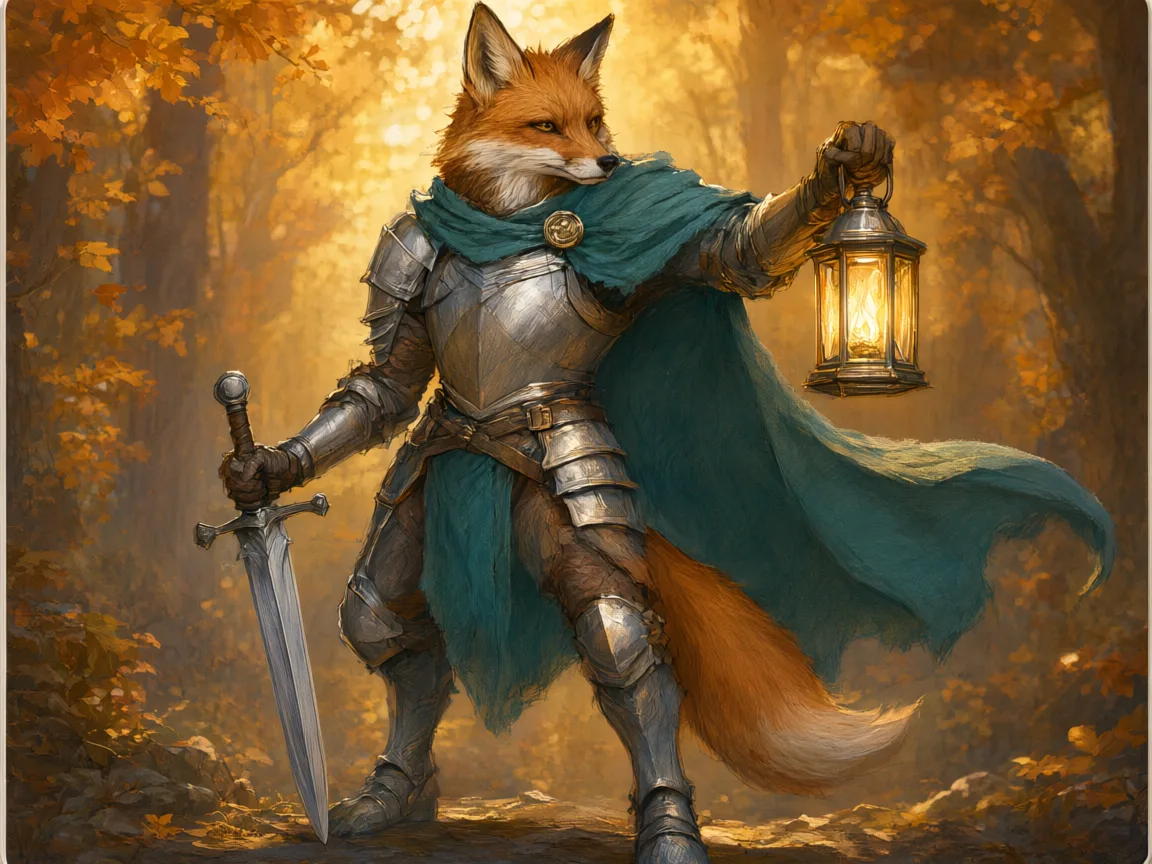
A Game Designer Paints Over a Pencil Sketch

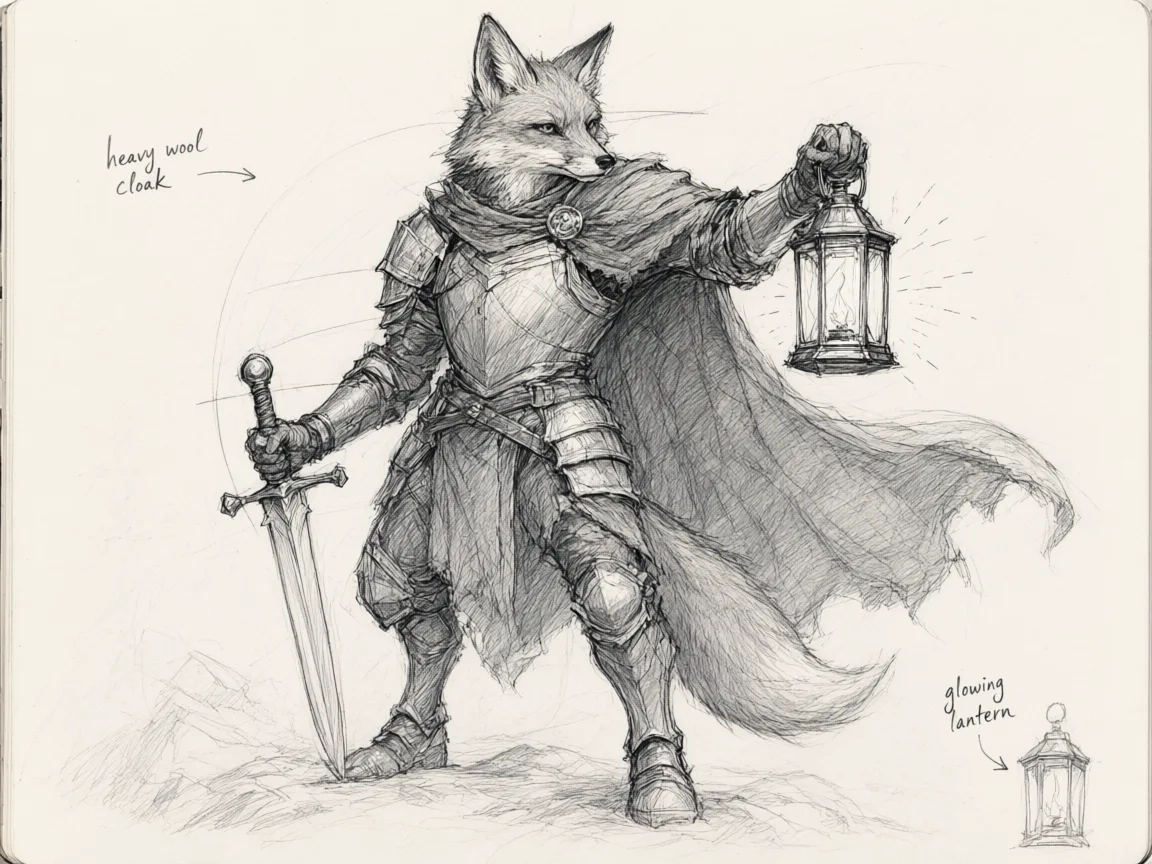
A rough Qwen-Image fox-knight sketch became painted trading-card art in an autumn forest. The sketch fixed pose and silhouette, so Qwen Image Edit only supplied color, texture, and lighting. For a full deck, reuse the same seed to keep Qwen images visually consistent.

  • Upload a clean sketch
  • List palette and setting
  • Ask the Qwen Edit to keep the pose
  • Reuse a seed across Qwen images
  • Check hands and small props
Paint a Sketch in Qwen Image
A Game Designer Paints Over a Pencil Sketch - After
A Game Designer Paints Over a Pencil Sketch - Before
Before
After

A Florist Turns Summer Into Snowfall

A sunny Qwen-Image storefront photo needed winter Qwen images for a holiday post. The Qwen Edit kept the green facade, sign, and windows, then added snow, string lights, and amaryllis. Qwen Image Edit fits when the place must stay recognizable and only the season changes.

  • Start from your real storefront
  • Give Qwen Image the season and props
  • Hold the camera angle
  • Watch signage and windows
  • Label Qwen-Image edits honestly
Try a Seasonal Qwen Edit
A Florist Turns Summer Into Snowfall - After
A Florist Turns Summer Into Snowfall - Before
Before
After

Pick the Model That Fits the Job

Qwen Image 3 handles lettering and Qwen Edit requests; other engines here suit different looks. Compare Qwen images with another model before you commit credits.

  • Gemini Omni 1.1 Flash
  • MiniMax H3
  • HappyHorse 1.1
  • Seedance 2.0
  • Seedance 2.0 Fast
  • Seedance 2.0 Mini
  • Seedance 2.5
  • Kling 3
  • Kling 3 Turbo
  • Kling O3
  • Kling 3 Motion Control
  • Kling Avatar
  • Qwen Image 3
  • Qwen Image 3 Pro
  • GPT Image 2
  • Nano Banana 2
  • Nano Banana Pro
  • Flux 2 Pro
  • Flux 2 Flex

Why Use Qwen Image Instead of a General Generator?

Qwen Image solves two stubborn problems: words that look like words, and Qwen Image Edit requests that leave the rest of the photo alone.

Try Qwen Image Edit

Qwen-Image Lettering Survives a Close Look

Most generators scramble signs. The Qwen-Image family was trained on dense English and Chinese typography, so menus, price tags, and posters in Qwen images often arrive spelled correctly. Quote the exact phrase and name the surface it sits on.

Qwen Image Edit Changes Only What You Name

Upload a photo and write one instruction: swap the backdrop, recolor a jacket, or rewrite a label. Qwen Image Edit keeps lighting and composition elsewhere, saving the reshoot a full Qwen-Image regeneration would force.

Three References, One Qwen Edit

Attach up to three images, for example a product, a room, and a mood sample, and describe how they combine. Qwen Image Edit reads them in upload order, so mention “the first image” or “the third image” in your prompt.

Qwen Image vs Nano Banana Pro vs Flux 2

Every engine has a lane. Use Qwen Image for bilingual text and tight Qwen Edit work, Nano Banana Pro for 4K composites with many references, and Flux 2 Pro for polished studio looks. Run one Qwen-Image brief through each.

Standard or Pro Qwen-Image, Picked by Task

Qwen Image 3 is faster and cheaper for exploring wording and layout. Qwen Image 3 Pro adds finer texture and cleaner small type at 2K. Draft Qwen images on standard, then rerun the winning prompt on Pro.

Seeds, Negative Prompts, and 21:9 Qwen Images

Lock a seed to change one word per Qwen-Image run. List unwanted elements in the negative prompt. Choose 21:9 for website banners or 9:16 for stories, so Qwen images fit the slot without awkward crops.

Three Steps to Your First Qwen Edit

Type, attach if needed, then judge your Qwen images.

  1. 1

    Write the Qwen Image Brief or Edit Note

    Name the subject, setting, and exact words in quotes for Qwen-Image. For a Qwen Edit, say what to change and what to keep.

  2. 2

    Attach Photos and Pick a Qwen Image Tier

    Add up to three references, select Qwen Image 3 or Pro, set the ratio, and confirm the credit price.

  3. 3

    Inspect, Adjust, Save Qwen Images

    Zoom into the text and edges of each Qwen Image Edit result. Change one phrase if something is off, then download the Qwen images you approve.

Pay per Qwen-Image Render, Not per Seat

Each Qwen Edit or new Qwen-Image render shows its credit price first. Choose a monthly plan or a one-time pack.

Basic

For solo creators making short AI videos

$9.80$19.80/month

$117.60 billed annually

Get Started

9,600 Credits

  • Commercial Use License
  • Priority Queue
  • No Watermark
  • 4K Quality
  • Private Generations
  • Copy Protection
  • More Free AI Tools
  • Qwen Image
  • Video Watermark Removal

Video Generation

  • Gemini Omni 1.1 Flash
  • MiniMax H3
  • HappyHorse 1.1
  • Seedance 2.0
  • Seedance 2.0 Fast
  • Seedance 2.0 Mini
  • Seedance 2.5
  • Kling 3
  • Kling 3 Turbo
  • Kling O3
  • Kling 3 Motion Control
  • Kling Avatar

Image Generation

  • Qwen Image 3
  • Qwen Image 3 Pro
  • GPT Image 2
  • Nano Banana 2
  • Nano Banana Pro
  • Flux 2 Pro
  • Flux 2 Flex

Popular

Pro

For teams producing AI video every week

$19.95$39.90/month

$239.40 billed annually

Get Started

57,600 Credits

  • Commercial Use License
  • Priority Queue
  • No Watermark
  • 4K Quality
  • Batch Processing
  • Private Generations
  • Copy Protection
  • More Free AI Tools
  • Custom Enterprise Service
  • Qwen Image
  • Video Watermark Removal

Video Generation

  • Gemini Omni 1.1 Flash
  • MiniMax H3
  • HappyHorse 1.1
  • Seedance 2.0
  • Seedance 2.0 Fast
  • Seedance 2.0 Mini
  • Seedance 2.5
  • Kling 3
  • Kling 3 Turbo
  • Kling O3
  • Kling 3 Motion Control
  • Kling Avatar

Image Generation

  • Qwen Image 3
  • Qwen Image 3 Pro
  • GPT Image 2
  • Nano Banana 2
  • Nano Banana Pro
  • Flux 2 Pro
  • Flux 2 Flex

Ultra

For studios generating AI video at scale

$99.95$199.90/month

$1,199.40 billed annually

Get Started

360,000 Credits

  • Commercial Use License
  • Priority Queue
  • No Watermark
  • 4K Quality
  • Batch Processing
  • Private Generations
  • Copy Protection
  • More Free AI Tools
  • Custom Enterprise Service
  • Dedicated Support
  • Qwen Image
  • Video Watermark Removal

Video Generation

  • Gemini Omni 1.1 Flash
  • MiniMax H3
  • HappyHorse 1.1
  • Seedance 2.0
  • Seedance 2.0 Fast
  • Seedance 2.0 Mini
  • Seedance 2.5
  • Kling 3
  • Kling 3 Turbo
  • Kling O3
  • Kling 3 Motion Control
  • Kling Avatar

Image Generation

  • Qwen Image 3
  • Qwen Image 3 Pro
  • GPT Image 2
  • Nano Banana 2
  • Nano Banana Pro
  • Flux 2 Pro
  • Flux 2 Flex

Questions about your plan? Reach us at

Qwen Image FAQ: Edits, Text, Models, and Credits

Straight answers about Qwen Image Edit, Qwen-Image typography, references, pricing, and rights.

What can I do with Qwen Image on this site?

Two jobs: create new Qwen images from a Qwen-Image prompt, and change existing photos with Qwen Image Edit. Both run on Qwen Image 3 or Qwen Image 3 Pro, and nothing downloads until you approve it.

Is this the official Qwen-Image website from Alibaba?

No. Qwen-Image is the model family built by Alibaba’s Qwen team. Qwen Image is an independent service that runs Qwen Image 3 through a third-party API provider; our Terms and About pages name the operator.

Qwen-Image vs Qwen Image Edit vs Qwen Edit: what is the difference?

Qwen-Image draws a picture from text alone. Qwen Image Edit rewrites part of an uploaded photo. Qwen Edit is the short name people search for Qwen Image Edit. Attach a reference and Qwen Image switches to editing.

What counts as a Qwen Edit here?

Any Qwen Image Edit request with at least one reference photo plus a sentence describing the change. A Qwen Edit without a clear “keep” instruction may redraw more than you expect.

How good is Qwen Image at putting words inside a picture?

It is the main reason people choose Qwen Image. The Qwen-Image family trained on dense English and Chinese lettering, so menus and banners in Qwen images often read correctly first time. Always proofread.

Can Qwen Image Edit replace text without redrawing the scene?

Usually. Quote the old and new wording in your Qwen Edit prompt and add “change nothing else.” Qwen Image Edit tends to keep font size and placement; zoom into Qwen images to check small type.

How many reference photos can one Qwen Edit use?

Up to three, for example a product, a backdrop, and a style sample. Refer to them in upload order, and Qwen Image Edit blends them while keeping each subject recognizable.

Qwen Image 3 vs Qwen Image 3 Pro: which should I choose?

Use Qwen Image 3 for drafts. Switch to Qwen Image 3 Pro when lettering, skin, or fabric in Qwen images must hold up at 2K. Pro costs more, so test each Qwen-Image prompt on standard first.

Qwen Image vs Nano Banana Pro vs GPT Image 2: when does each win?

Qwen Image wins on bilingual text and tightly scoped Qwen Edit work. Nano Banana Pro takes up to eight references and renders at 4K. GPT Image 2 accepts sixteen references and returns transparent PNG cutouts at 1K.

Qwen Image vs Nano Banana 2 vs Flux 2 Pro for product photos?

Nano Banana 2 accepts fourteen references for big catalogs; Flux 2 Pro suits polished studio looks. Qwen images stand out when packaging text must stay legible. Test one product on each.

Which aspect ratios and file types do Qwen images support?

Qwen images export at 1:1, 4:3, 3:4, 16:9, 9:16, 2:3, 3:2, or 21:9, as PNG or JPEG. Qwen Image Edit accepts JPEG, PNG, WebP, BMP, GIF, or TIFF references up to 10 MB.

What do seed, negative prompt, and prompt extend do in Qwen Image?

A fixed seed reruns a Qwen-Image prompt with a close match. A negative prompt lists things to avoid, such as watermarks. Prompt extend lets Qwen Image enrich a short description.

How long can a Qwen-Image prompt be?

Up to 5,000 characters. Qwen Image 3 follows long briefs well, so put subject, layout, exact text, lighting, and mood in separate sentences for sharper Qwen images.

Who uses Qwen Image most?

Sellers retouching listings, market cooks making signs, indie artists painting card art, and shop owners refreshing seasonal posts: anyone who needs Qwen images with correct words or one precise Qwen Edit.

Why use a Qwen Edit instead of a photo editor?

Layer-based editing needs masking skill and time; a Qwen Edit needs one sentence and usually returns within a minute or two. For pixel-perfect retouching, finish Qwen images in a manual editor.

Can Qwen Image Edit turn a pencil sketch into finished art?

Yes. Upload the sketch, describe colors and setting, and ask Qwen Image Edit to keep the pose. Proportions usually survive the Qwen Edit; check hands and small props.

How much does one Qwen Image render cost?

The exact credit price appears before you submit and depends on the Qwen-Image tier, resolution, and reference count. Plans and one-time packs are listed in the pricing section above.

Do failed Qwen Edit tasks use my credits?

Credits for a Qwen Edit or Qwen-Image task that fails on the provider side return to your balance per the billing record. A credit return is separate from a card refund.

Can I sell or publish Qwen images commercially?

That depends on your plan terms, our Terms of Service, and your rights to any uploaded photo. You are responsible for trademarks, likenesses, and checking Qwen images before publishing.

Are photos uploaded to Qwen Image Edit private?

Uploads are used to process your Qwen Edit or Qwen-Image request and appear in your own history. Upload only images you may use; our Privacy Policy explains storage and retention.

Can Qwen Image help with video?

Video uses other models. Finish a still with Qwen Image, then switch to Video and use that Qwen-Image frame as an image-to-video start where supported.

Does Qwen Image work on a phone?

Yes, Qwen Image runs in modern mobile browsers. Qwen-Image prompting works the same, but judge the lettering in Qwen images on a larger screen before publishing.

Where do my finished Qwen images go?

Completed Qwen images appear in My Images for download. Storage is not permanent, so keep your own copy of every Qwen Edit you plan to reuse.

What makes a strong Qwen Edit prompt?

Name the target, the change, and what stays: “replace the gray wall with brick; keep the chair.” Qwen Image Edit rewards specific verbs, and Qwen-Image rewards specific nouns.

Can a Qwen Edit remove an object from a photo?

Yes. Ask Qwen Image Edit to delete the item and say what fills the gap, such as “plain wooden floor.” Check reflections and shadows a Qwen Edit may leave behind.

How do I keep one character consistent across Qwen images?

Upload the same character reference to every Qwen Edit, reuse one seed, and repeat the costume description word for word. Qwen-Image keeps faces closer when names never change.

Which languages can Qwen-Image write inside Qwen images?

English and Chinese are strongest, because the Qwen-Image family trained heavily on both. Other scripts may work in short phrases; inspect Qwen images closely before printing.

Qwen Image vs a stock photo: which is faster for a listing?

Stock cannot show your exact product. Qwen Image Edit restages your own photo in minutes, and a fresh Qwen-Image render suits mockups. Use stock only when a verifiably real scene matters.

Should I disclose that Qwen images were edited?

Yes, whenever buyers or readers could be misled. Label any Qwen Image Edit result that changes a product, room, or person wherever platform rules or local law require it.

Why does Qwen Image ask me to sign in?

Every Qwen-Image render and Qwen Edit uses provider compute, so Qwen Image tracks credits per account and keeps your Qwen images in one history.

Your Next Qwen Edit Is One Sentence Away

Upload a photo for a Qwen Edit or type a scene. Qwen Image returns Qwen images you can check and download in minutes.